
What Are the Best Christmas Apps? The Short Answer
The best Christmas apps cover four jobs: tracking Santa, counting down the days, shopping for gifts, and playing Christmas music. The top picks are NORAD Tracks Santa, Google Santa Tracker, Elfster, Spotify, Amazon, Twinkly, and Pinterest. All seven are free to download on iPhone and Android. Install them in November, test each one once, and your phone will be ready for the whole season.
Christmas runs on phones now. Adobe Analytics reports that smartphones drove 54.5% of online holiday purchases in 2024, and mobile shopping hit 65% of online sales on Christmas Day itself. The right apps save money, time, and stress, while the wrong ones waste storage and show ads at the worst moment. This guide picks seven apps that earn their place, shows what is free and what costs money, and lists the seven mistakes to avoid.
ANSWER BOX 1: The best Christmas apps are NORAD Tracks Santa, Google Santa Tracker, Elfster, Spotify, Amazon, Twinkly, and Pinterest. All seven are free to download on iPhone and Android. NORAD and Google track Santa, Elfster runs Secret Santa draws, Spotify plays Christmas music, Amazon handles gift shopping, Twinkly controls smart lights, and Pinterest holds decor ideas.
ANSWER BOX 2: Install Christmas apps in November, not on Christmas Eve. Test each app once, sign in early, and turn on only the notifications you want. Delete the apps you do not open after one week, because a full phone slows down at the worst time. Keep the list short, and every app on it will earn its place.
Christmas Apps: 7 Best Picks for iPhone and Android
Seven apps cover the whole season, from the first countdown to the last gift. Each pick below is a real app you can download today from the App Store or Google Play. All seven are free to download, and each one states what the paid extras cost, so there are no surprises.
Pick 1: NORAD Tracks Santa. The NORAD app shows the live Santa map on Christmas Eve, plus games and videos for kids. It is free on iPhone and Android, and it needs no account. Volunteers answer more than 130,000 calls each Christmas Eve on the hotline, and the app shows the same live map those volunteers read. Use it on Christmas Eve, and open our santa tracker guide first to learn the start times.
Pick 2: Google Santa Tracker. The Google Santa Tracker app brings the festive village to Android phones, with more than 20 mini-games, videos, and a countdown clock. Google launched the tracker on December 1, 2004, and the village opens on December 1 each year. The app is free, and it works best on a tablet, where kids can tap the games with ease. Use it through December to keep kids busy while you wrap gifts.
Pick 3: Elfster. Elfster runs Secret Santa draws for families, friends, and offices. You create a group, the app draws names in secret, and each person builds a wish list. The app is free to download, with optional premium features for large groups. Use it in November, so the draw happens early and gifts ship on time. Elfster also sends reminders, so no one forgets to buy.
Pick 4: Spotify. Spotify holds the best Christmas music, with playlists such as Christmas Hits and cozy holiday mixes. The app is free with ads, and the premium plan removes ads and allows offline play. Play a Christmas playlist while you decorate, cook, or wrap gifts, and the house feels festive in minutes. Download the playlist for offline use before a trip, so the music works without Wi-Fi.
Pick 5: Amazon. The Amazon app handles gift shopping, wish lists, and price checks in one place. It is free, and you pay only for what you buy. Use the wish list to track gift ideas, and use the app to compare prices before you pay. Adobe Analytics reports that smartphones drove 54.5% of online holiday purchases in 2024, and Amazon is where much of that shopping happens. Check delivery dates before you order, and pair each purchase with our holiday budget calculator to keep spending in check.
Pick 6: Twinkly. Twinkly controls smart Christmas lights from your phone. The app is free, and it pairs with Twinkly light strings, which you buy separately. You can draw light patterns on a photo of your tree, set timers, and sync the lights to music. Use it to plan the light layout, and check how many strands you need with our christmas lights calculator before you buy.
Pick 7: Pinterest. Pinterest holds decor ideas, recipes, crafts, and gift guides in one visual feed. The app is free, and you save ideas to boards for later. Search for a tree style, a table setting, or a cookie recipe, and save the best pins to a Christmas board. Use it in November to plan the look of the house, then shop from the board in one trip.
Free vs Paid: What You Actually Get
Most Christmas apps are free to download, but the paid extras differ. The table below shows what each app gives for free and what costs money. Read it before you pay for anything, because most families need only the free version.
| App | Free version | Paid extras | Best for |
|---|---|---|---|
| NORAD Tracks Santa | Full map, games, videos | None | Tracking Santa |
| Google Santa Tracker | Full village, 20+ games | None | Kids and games |
| Elfster | Draws, wish lists, reminders | Premium for large groups | Secret Santa |
| Spotify | Music with ads | Premium removes ads, offline play | Christmas music |
| Amazon | Shopping, lists, price checks | Pay only for purchases | Gift shopping |
| Twinkly | Light control app | Light strings sold separately | Smart lights |
| Ideas, boards, search | None for core use | Decor and recipes |
NORAD and Google cost nothing at all, so they suit every family. Elfster is free for small groups, and the premium plan only matters for large offices. Spotify is the one app where the paid plan earns its money, because offline play matters on trips. Amazon costs nothing to use, and you pay only for gifts. Twinkly needs the light strings, so count that cost before you buy. Pinterest is free for the core use, which is saving ideas.
A good rule is to pay only for what you use twice. If you play Spotify every day in December, the premium plan is worth it. If you open the app once, the free version is enough. If you buy Twinkly lights, you will use them every year, so the cost spreads out. If you use Elfster once for a family draw, the free version is enough. Check each app after one week, and delete the ones you never opened.
Christmas Apps for Offline Moments
Most guides list apps that need Wi-Fi, but the season has many moments without it. The car, the plane, and grandma’s house all have weak or no signal. This section is the one other guides skip, because it plans for the moments when the internet fails. Pick the offline options now, and the season will not stop when the signal does.
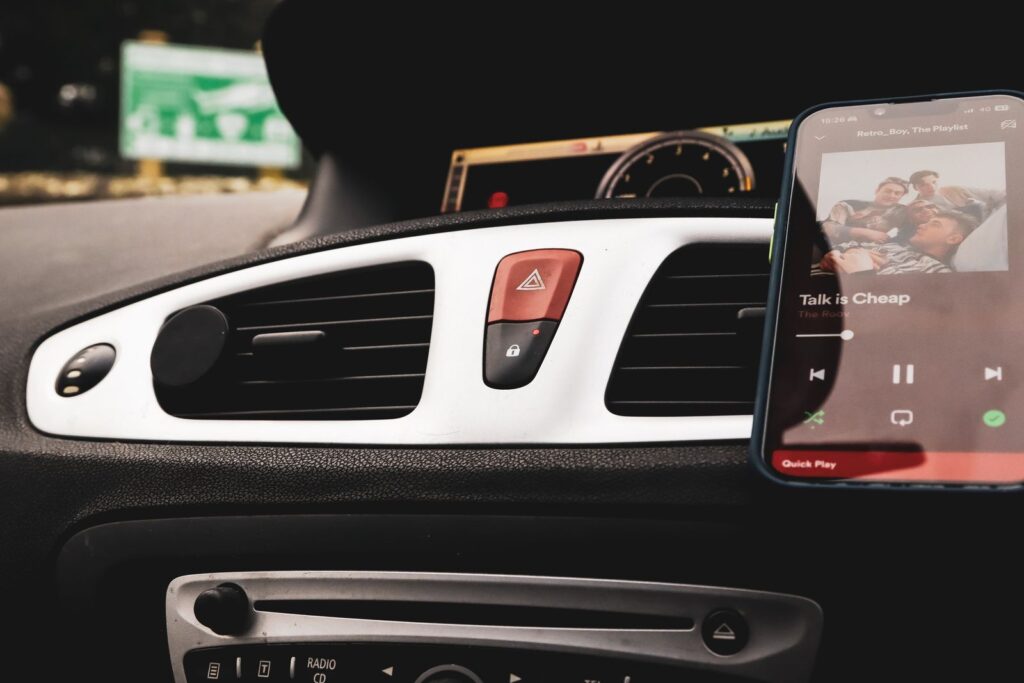
Download music before the trip. Spotify premium lets you download playlists for offline play. Download a Christmas playlist and a kids playlist before you leave home. The music will play in the car, on the plane, and at a house with slow Wi-Fi. If you use the free version, download the songs as files another way, or bring a small speaker and a downloaded mix.
Save Pinterest boards for offline use. Pinterest lets you save pins to a board, and the board stays on your phone. Save the recipe, the decor idea, and the craft guide before the trip. Open the board in the car or at the table, and the idea is there without a signal. Take a screenshot of the key steps as a backup, because screenshots never need Wi-Fi.
Load the Santa games early. The Google Santa Tracker village needs internet for the live map, but many games load once and then work for a while. Open the games on December 23, while Wi-Fi is strong, and keep the app open in the background. The NORAD app also loads its games early. If the map fails on Christmas Eve, call the NORAD hotline, because a phone call needs no Wi-Fi.
Keep a paper backup of the key lists. A gift list on paper never needs a signal. Print the Elfster wish lists, the shopping list, and the recipe before the trip. Paper also helps when the phone battery dies, which happens fast in cold weather. A small notebook in the bag is the best offline app of all.
Charge everything before you leave. A full battery is the real offline tool. Charge the phone, the tablet, and the portable charger the night before a trip. Cold weather drains batteries fast, so keep the phone in a warm pocket. A dead phone ends the music, the map, and the lists at once.
7 Mistakes to Avoid With Christmas Apps
Seven mistakes can waste storage, money, or calm. Each one is easy to prevent with a small check in November.
Mistake 1: Installing apps on Christmas Eve. New apps need time to download, sign in, and update. Install them in November and test each one once. An app that fails on Christmas Eve cannot be fixed while kids wait for Santa. Early install is the simplest fix.
Mistake 2: Trusting a copycat app. Fake Santa tracker and countdown apps fill the stores each December. They show ads, ask for payments, and give wrong counts. Download only the apps named in this guide, from the real App Store or Google Play pages. Check the developer name before you tap install.
Mistake 3: Turning on every notification. Christmas apps send many alerts, from deals to game invites. Turn on only the alerts you want, such as Santa tracking and delivery updates. Turn off the rest, or your phone will buzz all day. A quiet phone is a calm phone.
Mistake 4: Paying for a countdown app. A countdown is simple date math, and free tools do it well. The calculator on our days until christmas page is free, and Google Search shows the count for free. Never pay for an app that only counts days. Spend money only on apps that do real work, such as music or light control.
Mistake 5: Forgetting to check storage. Phones fill up fast in December with photos and videos. Check storage in November and free space before the season. Delete old apps and move photos to a backup. A full phone cannot install the app you need on Christmas Eve.
Mistake 6: Shopping without a budget. Adobe Analytics reports that US shoppers spent $241.4 billion online in the 2024 holiday season, and the National Retail Federation reports average planned spending of $890.49 per person in 2025. An app makes buying easy, so set a budget first. Use our holiday budget calculator to split the total, and check the running total after each order.
Mistake 7: Letting kids shop by accident. Shopping apps store your card, and a child can tap “buy” in seconds. Turn on purchase approval, use a passcode for buying, and keep the card behind a password. Check the order history each evening in December. A two-minute setting stops a costly surprise.

Christmas Apps FAQ
What are the best free Christmas apps?
The best free Christmas apps are NORAD Tracks Santa, Google Santa Tracker, Elfster, Spotify, Amazon, Twinkly, and Pinterest. All seven are free to download on iPhone and Android. NORAD and Google cost nothing at all, while Spotify and Elfster offer optional paid extras.
Is there a free Santa tracker app?
Yes, both main Santa tracker apps are free. The NORAD Tracks Santa app is free on iPhone and Android, and the Google Santa Tracker app is free on Android. Both show the live map on Christmas Eve, and neither needs a payment or an account.
What is the best Christmas countdown app?
The best countdown is a free tool, not a paid app. Use the calculator on our days until Christmas page, or type “days until Christmas” into Google Search. Both give the exact count for free. A paid countdown app adds nothing to simple date math.
Which Christmas app is best for music?
Spotify is the best Christmas music app, with playlists such as Christmas Hits and cozy holiday mixes. The free version plays music with ads, and the premium plan removes ads and allows offline play. Download a playlist before a trip for music without Wi-Fi.
Which Christmas app is best for Secret Santa?
Elfster is the best Secret Santa app. It draws names in secret, builds wish lists, and sends reminders. The app is free for small groups, with premium features for large offices. Set up the draw in November, so gifts ship on time.
Can I control Christmas lights with an app?
Yes, the Twinkly app controls Twinkly smart light strings from your phone. The app is free, and the light strings are sold separately. You can draw patterns, set timers, and sync the lights to music. Check how many strands you need with our christmas lights calculator first.
Are Christmas apps safe for kids?
The apps in this guide are safe for kids when you set them up first. NORAD and Google Santa Tracker are built for families and need no account. Turn on purchase approval in the App Store and Google Play, so kids cannot buy by accident. Check the app settings before you hand the phone over.
Do Christmas apps work on iPhone and Android?
All seven picks in this guide work on iPhone, and six work on Android as full apps. Google Santa Tracker has an Android app, and iPhone users can open the same tracker in Safari. Check the store page for your phone before you download.
How much storage do Christmas apps need?
Most Christmas apps need less than 200 MB each, so seven apps need about 1 GB in total. Music apps need more if you download playlists for offline use. Check storage in November and free space before the season starts.
Can I use Christmas apps without internet?
Some parts work offline and some do not. Downloaded Spotify playlists work without Wi-Fi, and saved Pinterest boards stay on your phone. The live Santa map needs internet, because it updates every few minutes. The NORAD phone hotline works without internet as a backup.
What Christmas apps help with shopping?
The Amazon app handles gift shopping, wish lists, and price checks. Elfster holds wish lists for Secret Santa groups. Pinterest saves gift ideas to boards. Use the three together, and check each purchase against your budget with our holiday budget calculator.
When should I install Christmas apps?
Install Christmas apps in November, not on Christmas Eve. Test each app once, sign in early, and turn on only the notifications you want. Delete the apps you do not open after one week. Early install leaves time to fix a bad download.
What comes after Christmas apps?
After Christmas, the next countdown starts. Use our days until new year calculator to count the 7 days to New Year Day, and keep the music app for the New Year party. The same phone that tracked Santa can count down the ball drop.
Final Word
Christmas apps earn their place when they solve a real job. NORAD and Google track Santa, Elfster runs the draw, Spotify plays the music, Amazon handles the shopping, Twinkly lights the tree, and Pinterest holds the ideas. Install them in November, test each one once, and delete the ones you never open. Keep the budget in check, keep a paper backup of the key lists, and keep the phone charged. The apps will then do their job in the background, and the season will stay about family, not screens.
Learn more about how apps work on Wikipedia: Mobile app.