
How to Clean a Keyboard Safely in 5 Minutes
To clean a keyboard safely, switch it off and unplug it first. Shake out loose crumbs over a bin. Blow short bursts of compressed air between the keys. Wipe the keys with a microfiber cloth dampened with 70% isopropyl alcohol. Let it dry fully before you switch it back on. Never spray liquid straight onto the keys. Never pull laptop keys off. That quick routine covers most daily grime. A deep clean once every few months handles the rest. This guide shows both routines in full.
ANSWER BOX 1: Switch the keyboard off and unplug it before you clean it. Shake out crumbs. Use short bursts of compressed air. Then wipe keys with a cloth dampened with 70% isopropyl alcohol. Never spray liquid directly on the keyboard. Let it dry fully before you plug it back in and use it.
Why Your Keyboard Needs Regular Cleaning
Keyboards collect dust, skin oil, crumbs, and germs every day. You touch them for hours, often while eating or drinking. That mix builds up under and between keys. Dirty keys can stick, feel mushy, or stop working. A clean keyboard types better and lasts longer. It also looks far better on a desk. Research shows why this matters. A University of Arizona study found a typical keyboard hosts 3,295 germs per square inch. The same study found office desks hold 400 times more bacteria than toilet seats in the same offices. These findings were reported by Occupational Health and Safety in February 2005. A Which? Computing investigation of 30 office keyboards found one in six carried strains linked to E. coli and MRSA bacteria. It also found 46% of 4,000 office workers rarely cleaned their keyboards. You do not need to fear your keyboard. You just need a simple routine.
What You Need to Clean a Keyboard
Gather these supplies before you start. A soft microfiber cloth is the main tool. A can of compressed air clears dust from gaps. Cotton swabs reach tight corners. Isopropyl alcohol at 70% cuts grease and germs. A soft brush, such as a clean makeup brush, sweeps loose dust. A keycap puller helps only for mechanical keyboards. Keep a small bowl and mild dish soap ready for keycap washing. Do not use bleach, harsh sprays, or rough scouring pads. Those can strip key labels and harm coatings. Microsoft support guidance says to use isopropyl alcohol at 70% or less on a soft, lint-free cloth. Dell gives the same core advice for its keyboards. Lenovo also warns against liquid sprayed straight onto keys. Stick to gentle tools, and your keyboard will thank you.
How to Clean a Keyboard: Surface Clean Step by Step
This surface clean suits laptops and desktops alike. It takes about five minutes. First, shut the device down fully. Unplug an external keyboard, or remove its batteries if wireless. Second, turn the keyboard upside down over a bin. Tap it gently to drop crumbs. Third, hold the compressed air can upright. Use short bursts between keys. Long sprays can push liquid out of the can. Fourth, dampen the microfiber cloth lightly with 70% isopropyl alcohol. Wipe each key top and the gaps. Use a cotton swab for tight spots. Fifth, wipe once more with a dry cloth. Let the keyboard air dry for a few minutes. Then plug it back in and test each key.
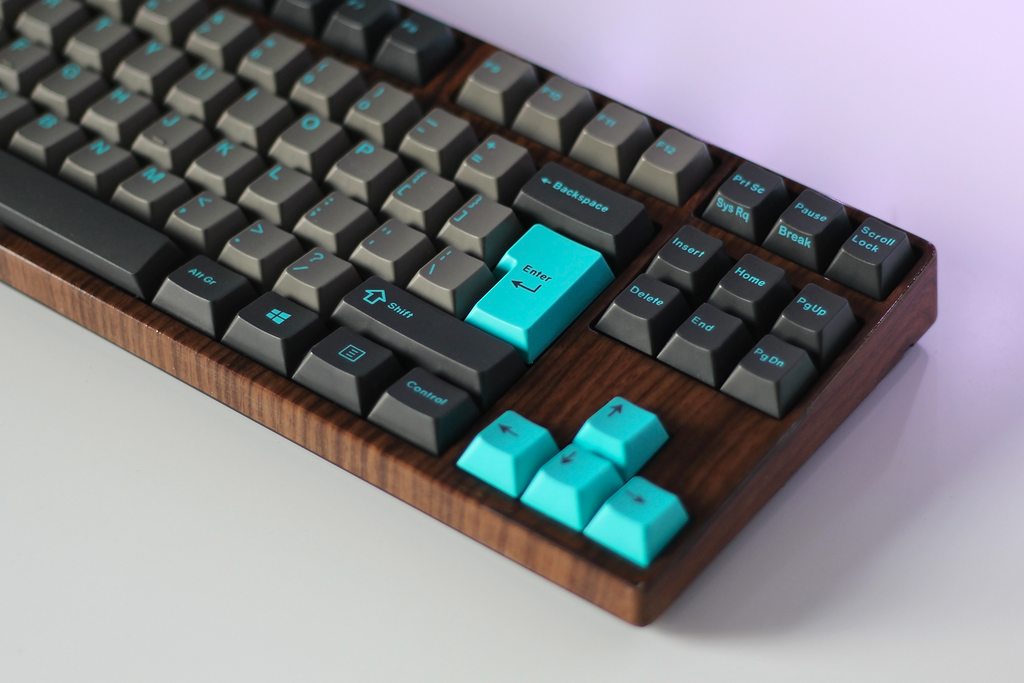
How to Clean a Laptop Keyboard Without Damage
Laptop keyboards need extra care. Their keys sit on thin scissor clips. Those clips break if you pull hard. So never pry laptop keys off. Stick to shaking, air bursts, and gentle wiping. Hold the laptop at a slight tilt while you use air. That helps dust fall out, not deeper in. Keep the cloth only slightly damp, never dripping. Apple, Dell, and Lenovo all warn against liquid entry. If a key sticks after cleaning, do not force it. Try one more gentle wipe and dry. If it still sticks, ask the maker support team. A broken clip can cost more than a new keyboard. Patience here saves real money.
How to Deep Clean a Mechanical Keyboard
Mechanical keyboards are built for deeper cleaning. Their keycaps pull off with a proper tool. First, take a photo of the layout. That photo saves you during reassembly. Second, pull each keycap off gently with a keycap puller. Third, soak keycaps in warm water with mild dish soap for 15 minutes. Rinse them and dry them fully, ideally overnight. Fourth, clean the exposed base with compressed air and swabs. Wipe switch tops with a cloth dampened with alcohol. Fifth, push keycaps back on in the right spots. Test every key before you call it done. Never wash keycaps in a dishwasher. High heat can warp the plastic. Hand washing is slow but safe.
How to Clean a Keyboard After a Spill
Act fast after a spill, but stay calm. Switch the device off at once. Unplug it, and turn it upside down. Let liquid drain out by gravity. Blot, do not rub, with a dry cloth. For water spills, let it dry for at least 24 hours. For sticky drinks, a deeper clean may be needed. A desktop keyboard can often be rinsed keycap by keycap. A laptop spill is more serious, so keep it off. Do not use a hair dryer on high heat. Heat can warp keys and harm batteries. If keys still fail after full drying, get pro help. Quick action gives the best chance of survival.
The Friday Reset: A Section Competitors Skip
Most guides tell you how to clean, then stop. They never help you keep the habit. This section fixes that gap. Pick Friday as reset day, before the weekend. Set a two minute timer on your phone. Shake the keyboard, wipe the keys, and empty the desk bin. Wipe the mouse too, since it shares the same germs. Note the date on a sticky note or phone reminder. After four Fridays, the habit feels automatic. A clean desk on Monday feels like a fresh start. If you share a desk, leave a note for the next user. Small habits beat rare deep cleans every time.
How Often Should You Clean a Keyboard?
Light surface cleaning once a week suits most users. Heavy users, gamers, and desk eaters should wipe twice a week. Deep cleaning every three to six months suits mechanical keyboards. Laptop users can skip deep cleaning and wipe more often instead. Shared keyboards need wiping between users when possible. If you feel grit under keys, clean sooner. If keys start to stick, clean that day. A short weekly wipe stops most buildup. Waiting until keys fail costs far more time. Build cleaning into your week, like charging your phone.
| Routine | How often | Time needed |
|---|---|---|
| Shake and wipe | Weekly | 5 minutes |
| Deep clean keycaps | Every 3 to 6 months | 45 minutes |
| Spill response | At once | 10 minutes plus drying |
| Friday reset | Weekly | 2 minutes |
ANSWER BOX 2: Wipe your keyboard once a week and deep clean a mechanical keyboard every three to six months. Laptop owners should wipe often and never pull keys off. Shared keyboards need more frequent wipes. If keys feel gritty or sticky, clean them that day instead of waiting for a schedule.
Mistakes That Damage Keyboards
First, never spray cleaner straight onto keys. Liquid seeps under keys and harms circuits. Second, never clean a powered device. You may trigger keys and risk a short. Third, never use bleach or abrasive pads. They strip labels and scratch surfaces. Fourth, never force a stuck key off a laptop. You may snap its clip. Fifth, never soak a whole keyboard in water. Only removed plastic keycaps can be soaked. Sixth, never rush drying. Power on only when fully dry. Avoid these six mistakes, and most cleaning damage never happens. When in doubt, use less liquid, not more.
Related TechWole guides: top free online file converter tools list 2026 guide, how to send a formal message on whatsapp, calculate website loading time
Frequently Asked Questions About How to Clean a Keyboard
Can I clean a keyboard with water?
You can use a cloth dampened with mild soap and water. Never pour water on the keyboard. Wring the cloth well first. Alcohol at 70% is often a better choice for germs and grease.
Is isopropyl alcohol safe for keyboards?
Yes, at 70% or less on a soft cloth. Microsoft, Dell, and Lenovo all allow this method. Do not use stronger mixes on coated keys without checking the maker guide. Always apply it to the cloth, not the keys.
Can I remove keys from a laptop keyboard?
No, avoid it in most cases. Laptop keys use fragile clips that break with ease. Use air and gentle wiping instead. Check your maker manual before you try any removal at all.
Can I remove keys from a mechanical keyboard?
Yes, if it uses removable keycaps. Use a wire keycap puller, not force. Take a layout photo first. Soak keycaps in warm soapy water, rinse, and dry them fully before refitting.
How do I clean sticky keys?
Wipe around the key with alcohol on a swab. For desktop keyboards, remove the keycap and clean beneath it. For laptops, wipe gently and let it dry. If it still sticks, contact maker support.
Can I use compressed air on a laptop?
Yes, with short bursts and the can upright. Long sprays can release cold liquid. Tilt the laptop slightly so dust falls out. Never shake the can while you spray.
Can I put keycaps in a dishwasher?
No, never do that. Dishwasher heat warps ABS and PBT plastic keycaps. Hand wash them in lukewarm soapy water instead. Dry them fully, ideally overnight, before refitting.
How do I clean a keyboard without compressed air?
Use a soft brush and a small vacuum on low power. A manual air blower also works well. Shake the keyboard upside down first to drop loose crumbs. These tools cover most daily dust.
How often should I clean a shared keyboard?
Wipe it between users when you can, and at least once a day in busy offices. Shared keyboards collect more germs than solo ones. Keep wipes near shared desks to make this easy.
What should I do after spilling coffee on a keyboard?
Switch it off at once and turn it upside down. Blot liquid, do not rub it in. Let it dry for at least 24 hours. Sticky spills may need a keycap deep clean or pro help.
Can cleaning fix a dead key?
Sometimes, yes, if dirt blocks the switch. Cleaning helps stuck or gritty keys most. If a key stays dead after cleaning and drying, the switch may be faulty. Then repair or replacement is the next step.
Does cleaning a keyboard remove all germs?
No method removes every germ, but regular wiping cuts them a lot. Alcohol wipes, clean hands, and weekly routines work together. Avoid eating over the keyboard to slow new buildup.
Sources for statistics in this article: University of Arizona office study (3,295 germs per square inch on a typical keyboard; desks 400 times more bacteria than toilet seats) as reported by Occupational Health and Safety, February 2005; Which? Computing investigation of 30 office keyboards (one in six with E. coli or MRSA linked strains; 46% of 4,000 workers rarely cleaned keyboards) as summarized by The Free Library; Microsoft support guidance on 70% or less isopropyl alcohol, accessed October 2026.
Learn more about this device on Wikipedia: https://en.wikipedia.org/wiki/Computer_keyboard