
How to Extend WiFi Range: 7 Proven Ways to Stop Dead Zones
Learning how to extend wifi range is easier than most people think, and you can fix most dead zones in one afternoon. A dead zone is a spot in your home where the WiFi signal is too weak to use, and it usually comes from distance, walls, or a bad router spot. This guide gives you seven proven ways to fix it, starting with free moves and ending with the right gear. Updated for 2026, it works for flats, houses, and homes with a garden office.
WiFi now reaches almost every part of modern life, from work calls to smart speakers in the kitchen. The Wi-Fi Alliance reported 21.1 billion Wi-Fi devices in use in 2024, so a weak signal touches a lot of daily life. Your router sends a radio signal, and that signal gets weaker as it travels through air, walls, and floors. The good news is that you can push that signal further with placement, settings, and one well chosen device. That is the simple truth behind how to extend wifi range: placement first, gear second.
[SNIPPET TARGET] To extend WiFi range, move your router to a central, open spot, switch far rooms to the 2.4 GHz band, and place a WiFi extender halfway between the router and the dead zone. For large homes, a mesh WiFi system gives the best coverage. Test the signal in each room after every change, and keep the router away from thick walls and metal.
ANSWER BOX 1
How to extend WiFi range starts with the free fixes, and they solve the problem for many homes. Move the router to a central spot, raise it to chest height, and keep it out in the open. Switch phones and laptops in far rooms to the 2.4 GHz band, because that band travels further through walls than 5 GHz.
ANSWER BOX 2
When free fixes are not enough, add hardware in the right order. A WiFi extender suits one dead room and costs the least, while a mesh WiFi system suits a large home with several weak rooms. A wired access point gives the strongest result of all, but it needs an Ethernet cable run to the far room.
KEY TAKEAWAYS
- How to extend wifi range starts free: central router spot, open placement, and the 2.4 GHz band for far rooms.
- Place any extender halfway between the router and the dead zone, never inside the dead zone itself.
- A mesh system beats an extender for large homes, while an extender wins for a single dead room.
- Test the signal in every room after each change, or you are only guessing.
- Thick walls, mirrors, metal, and water all block WiFi, so the room layout matters as much as the gear.
Contents
What Does Extend WiFi Range Mean?
To extend WiFi range means to make your wireless signal reach further and stay strong in more rooms. Range is the distance your router signal can travel and still give a usable connection. A phone needs a steady signal to load pages and stream video, and a weak signal means slow loads, frozen calls, and constant buffering. Extending range is about coverage, not about buying a faster internet plan. That coverage-first view is the heart of how to extend wifi range without wasting money.
Why Your WiFi Dies in Some Rooms
WiFi is a radio wave, and radio waves lose strength as they pass through solid things. A single plaster wall costs a little signal, while a brick wall, a concrete floor, or a metal fridge costs a lot. Water also blocks WiFi, so a fish tank or a wall full of pipes can create a shadow. The signal does not stop at your front door on purpose, it just runs out of strength.
Distance is the second cause, and it works with walls to shrink your coverage. A router in a far corner must cross every wall to reach the opposite bedroom, and each wall takes a cut. A central router crosses fewer walls to reach any room, and that is why placement beats buying new gear in most cases. That is why the first step in how to extend wifi range is nearly always moving the router.
Interference is the third cause, and it comes from your neighbours and your own gadgets. Nearby routers on the same channel crowd each other, and microwaves, baby monitors, and Bluetooth devices all share the 2.4 GHz band. Old gear is the fourth cause: a router from 2015 may only speak Wi-Fi 4, while your phone speaks Wi-Fi 6. The Wi-Fi Alliance launched Wi-Fi 6 certification in September 2019, and newer routers handle many devices at once far better. A free channel scan is the cheapest part of how to extend wifi range in a crowded block.

7 Proven Ways to Extend WiFi Range
These seven ways run from free to paid, so try them in order and stop when the dead zones are gone. Test the signal in each weak room after every step, because a fix that works in one home may do little in another. Keep notes of the signal bars in each room, and you will see the progress clearly. That order matters, because how to extend wifi range is a sequence, not a single purchase.
- Move the router to the centre of your home. A central spot shortens the distance to every room, and it cuts the number of walls the signal must cross. Put the router on a shelf at chest height, out in the open, and away from thick walls. Avoid the basement, the garage, and the far corner of the house, because those spots waste half the signal outside.
- Raise the router and point the antennas right. A router on the floor sends half its signal into the ground, so lift it onto a table or a shelf. If it has antennas, point one straight up and one sideways, because that mix covers more directions. Keep the router away from metal shelves and large mirrors, which reflect the signal away.
- Switch far rooms to the 2.4 GHz band. The 2.4 GHz band travels further and passes through walls better than 5 GHz, so it is the right band for distant rooms. The 5 GHz band is faster but shorter, so keep it for rooms near the router. Most routers show two network names, one for each band, and you can pick the right one on each device.
- Change the WiFi channel to a clearer one. Log in to the router settings and look for the channel option under wireless settings. On 2.4 GHz, channels 1, 6, and 11 are the only ones that do not overlap, so pick the least busy of the three. A WiFi analyser app shows which channels your neighbours use, and a clear channel can lift a weak room at once.
- Update the router firmware. Router makers fix bugs and improve the radio with firmware updates, and an old version can hold the signal back. Open the router admin page and check for an update, then install it and restart the router. Set updates to automatic if the router offers it, so you never fall behind again.
- Add a WiFi extender for one dead room. An extender picks up the router signal and repeats it further into the home, and it costs far less than a new system. Place it halfway between the router and the dead zone, where the signal is still decent, and it will carry the signal the rest of the way. Our guide on how to set up a wifi extender walks through the whole setup in five steps.
- Switch to mesh WiFi for a large home. A mesh system uses two or three units that talk to each other and blanket the home in one network. It suits homes with several dead rooms, thick walls, or more than two floors. Our comparison of wifi extender vs mesh wifi helps you pick between the two for your home size and budget.
If none of the seven ways fixes a stubborn room, a wired access point is the last step. It connects to the router by Ethernet cable and broadcasts fresh WiFi in the far room at full strength. It needs a cable run, so it costs more effort, but it gives the strongest and most stable result of any option here. That wired last step is the strongest answer in how to extend wifi range for a stubborn room.
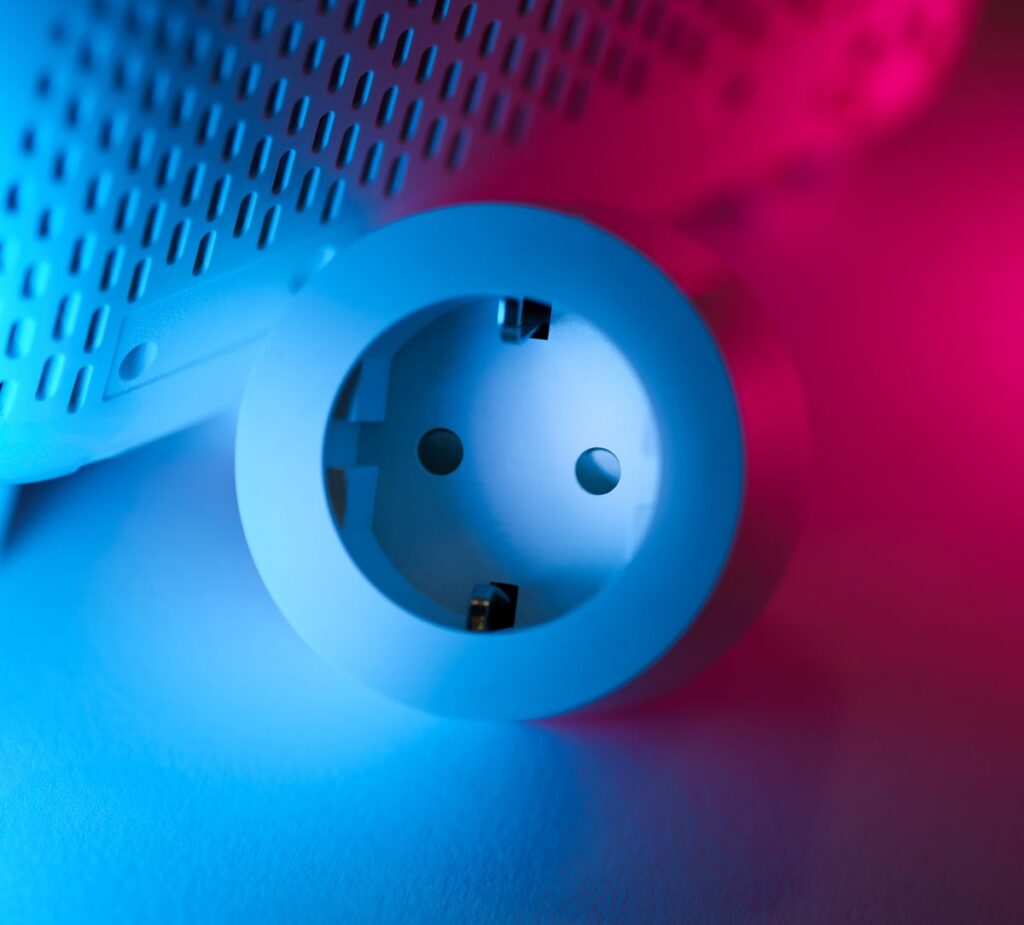
WiFi Extender vs Mesh vs Access Point
These three tools all extend range, but they fit different homes and budgets. An extender is one small box that repeats the signal, a mesh system is a set of units that form one smart network, and an access point is a wired broadcaster in the far room. The table below compares them on the points that matter most, so you can pick without guessing. That table is the quickest way to see how to extend wifi range for your own home size.
| Option | Best for | Typical cost | Setup effort | Speed kept | Main drawback |
|---|---|---|---|---|---|
| WiFi extender | One dead room | Low | Easy, 15 minutes | About half on single-band models | Can halve speed on old models |
| Mesh WiFi system | Large home, several weak rooms | Medium to high | Easy, app guided | Most of it | Costs more than an extender |
| Wired access point | One stubborn far room | Medium | Harder, needs a cable | Nearly all of it | Needs an Ethernet cable run |
| New router | Old router, whole home weak | Medium | Easy | Most of it | Fixes nothing if placement is bad |
| Powerline adapter | Rooms with thick walls | Low to medium | Easy | Varies a lot | Depends on home wiring quality |
An extender wins when the problem is small and the budget is tight. It plugs into a wall socket, copies the network name, and starts working in minutes. But a cheap single-band extender talks to the router and your phone on the same band, so it can cut speed in half. A dual-band extender avoids that trap, and our guide on the best wifi extender for home shows what to check before you buy. For one weak room, that plug-in is often the whole of how to extend wifi range.
A mesh system wins when the problem is big, because its units are built to work as a team. Your phone moves between units without dropping, and the system picks the best path for the signal on its own. Google Nest Wifi and Amazon Eero are two well known mesh systems, and both set up through a phone app. The cost is higher, but the result is smoother across a large home. For a big home, that teamwork is the real lesson of how to extend wifi range well.
The 2.4 GHz vs 5 GHz Choice
Every modern router broadcasts on two bands, and picking the right one is a free range fix. The 2.4 GHz band uses a longer radio wave, so it travels further and passes through walls better. The 5 GHz band uses a shorter wave, so it carries more data but fades faster with distance. Many new routers also add a 6 GHz band with Wi-Fi 6E, which is faster still and shorter still. That free band choice is the easiest part of how to extend wifi range today.
Use 2.4 GHz in far rooms, in the garden, and for smart home gadgets that sit far from the router. Smart speakers, cameras, and plugs often use 2.4 GHz only, because they need reach more than speed. A Google Home speaker in a far bedroom, for example, will hold its connection far better on 2.4 GHz. Our guide on how to connect google home to wifi covers the setup for those devices.
Use 5 GHz in rooms near the router, for video calls, gaming, and 4K streaming. It gives faster speeds and less crowding, because fewer old devices use it. If your phone keeps dropping to 2.4 GHz in a near room, split the two bands into separate network names in the router settings. Then join the 5 GHz name by hand on the devices that need speed, and the 2.4 GHz name on the ones that need reach.
5 Mistakes That Kill Your WiFi Range
These five mistakes undo good gear and good plans, and every one of them is common. Read them before you spend money, because a free fix may be hiding behind a mistake you can stop today. Each mistake has a simple cure, and the cures cost nothing. Skipping those mistakes is half of how to extend wifi range without spending a penny.
- Hiding the router inside a cabinet. A wooden cabinet looks tidy, but it blocks and absorbs the signal before it even leaves the room. Take the router out into the open, and the signal jumps at once. A closed TV unit is one of the worst spots in a home, because it mixes wood, glass, and metal in one box.
- Putting the extender inside the dead zone. An extender cannot repeat a signal it cannot hear, so a spot with one bar gives it almost nothing to work with. Place it halfway between the router and the dead zone, where the signal is still fair. If the extender stops working after a move, read our fixes for a wifi extender not working before you buy a replacement.
- Buying a single-band extender to save money. A single-band extender uses the same band to talk to the router and to your phone, so it halves the speed it can pass on. A dual-band model costs a little more and keeps far more speed. Check the box for dual-band support before you pay, and skip any model that hides this detail.
- Leaving the router firmware years out of date. Old firmware can carry bugs that weaken the radio or drop devices at random. Check for an update every few months, or turn on automatic updates in the router settings. A five minute update can fix a problem that looks like a dead zone.
- Placing the router next to the microwave or a mirror. A microwave leaks noise on the 2.4 GHz band while it runs, and a mirror reflects WiFi like a wall. Keep the router away from the kitchen, away from large mirrors, and away from thick metal objects. A metre of clear space around the router makes a real difference.
The 10-Minute Range Map for Your Home
Most guides tell you to buy gear, but they never tell you where the signal actually fails. This section is the part competitors miss: a simple map you can draw in ten minutes with your phone. It shows you exactly which rooms need help, so you spend money only where it counts. All you need is your phone and a pen. That ten-minute map is the smartest start to how to extend wifi range in any home.
Walk to each room and note the WiFi bars on your phone, then mark the room as green, yellow, or red. Green means three or four bars and smooth video, yellow means two bars and slow loads, and red means one bar or no connection at all. Write the result on a rough sketch of your home, and the dead zones will show up as a clear pattern. Most homes have one red room and two yellow ones, not a whole house of failure.
Now draw a line from the router to each red room, and count the walls the signal must cross. If the line crosses three walls or a floor, you have found the cause. The fix for that room is either a better router spot, an extender at the halfway point, or a mesh unit in the yellow room next door. A mesh unit in a yellow room works well, because it still hears the router clearly and can pass the signal on.
| Room | Signal before | Fix tried | Signal after | Gear needed |
|---|---|---|---|---|
| Living room (router here) | 4 bars | None | 4 bars | None |
| Bedroom 1 | 2 bars | Router moved central | 3 bars | None |
| Bedroom 2 | 1 bar | Extender at halfway point | 3 bars | Dual-band extender |
| Kitchen | 2 bars | 2.4 GHz band joined | 3 bars | None |
| Garden office | No signal | Mesh unit in hallway | 3 bars | Mesh system |
| Bathroom | 1 bar | Channel changed to 6 | 2 bars | None |
How to Extend WiFi Range FAQ
How can I extend my WiFi range for free?
Move the router to a central, open spot at chest height, and switch far rooms to the 2.4 GHz band. Change the WiFi channel to a clearer one, and update the router firmware.
How far can WiFi reach in a home?
A typical home router reaches about 45 metres indoors in open air, but walls cut that distance fast. A brick wall or a concrete floor can halve the reach, so a real home often gets 10 to 15 metres of strong signal.
Does a WiFi extender really work?
Yes, a WiFi extender works when you place it right, halfway between the router and the dead zone. It repeats the signal it hears, so it needs a fair signal to repeat.
Is a mesh system better than an extender?
A mesh system is better for large homes with several weak rooms, because its units work as one smart network. An extender is better for a single dead room, because it costs far less and sets up in minutes.
Why is my WiFi weak in one room only?
One weak room usually means thick walls, a long distance, or interference between the router and that room. A mirror, a metal cabinet, or a fish tank on the path can block the signal.
Can I extend WiFi to my garden or garage?
Yes, you can extend WiFi to a garden office or a garage with a mesh unit near the back wall, an outdoor access point, or a wired access point in the building. A normal indoor extender often fails outdoors, because the wall and the distance are too much.
Does 2.4 GHz or 5 GHz reach further?
The 2.4 GHz band reaches further and passes through walls better than 5 GHz. The 5 GHz band is faster but fades sooner, so it suits rooms near the router.
Will a new router extend my WiFi range?
A new router can help if your old one is more than five years old or only supports Wi-Fi 4. Newer routers use Wi-Fi 6, which handles many devices better and reaches a little further.
How many WiFi extenders can I use at once?
You can use more than one extender, but each one adds delay and can halve the speed again. Two extenders in a chain often give a slow and unstable result.
Does a WiFi extender slow down my internet?
A single-band extender can cut speed by about half, because it uses the same band to talk to the router and to your device. A dual-band extender avoids most of that loss, and a mesh system or wired access point keeps nearly all of your speed.
Where should I place my WiFi router?
Place the router near the centre of your home, on a shelf at chest height, out in the open. Keep it away from thick walls, metal, mirrors, and the microwave.
Should I turn off smart connect on my router?
Yes, turn off smart connect if far rooms keep dropping or sticking to the wrong band. Smart connect merges 2.4 GHz and 5 GHz under one name, and it often picks the faster band even when the signal is weak.
Final Word
Learning how to extend wifi range comes down to three moves: put the router in a good spot, pick the right band for each room, and add the right gear only where the map shows a real dead zone. Most homes need nothing more than a central router and a 2.4 GHz switch, while large homes earn their mesh system. Draw your range map, test each room, and fix one room at a time.
Read more about Wi-Fi on Wikipedia: https://en.wikipedia.org/wiki/Wi-Fi