
How to Remove Yourself From a Group Text the Easy Way and Avoid These 5 Mistakes
[SNIPPET TARGET] Yes, you can remove yourself from a group text on an iPhone, but only when the group is an iMessage group with blue bubbles and at least three other people stay in it. Open the group in Messages, tap the group icons at the top, scroll down, and tap Leave This Conversation, then confirm. If it is missing, mute the group instead.
ANSWER BOX 1
You can remove yourself from a group text on iPhone when it is an iMessage group with at least three other people in it. Open it, tap the group icons at the top, scroll down, tap Leave This Conversation, and confirm. If the button is missing, the group is a three person chat or a green bubble group.
ANSWER BOX 2
When you cannot leave, muting is the fastest fix. Turn on Hide Alerts in the group details screen and the messages will stop buzzing your phone. On iOS 17 and later, Delete and Block goes further: it stops the messages and deletes the thread if nothing new arrives for 30 days.
Contents
- Leave a Group Text on iPhone
- Why the Leave Button Is Missing
- Silence a Group Text Without Leaving
- Leave a Group Text on Android and WhatsApp
- iMessage vs RCS vs SMS vs WhatsApp
- The Polite Exit: What to Say
- Mistakes to Avoid
- FAQ
Key Takeaways
- Only an iMessage group with blue bubbles and at least three other people can be left.
- A three person iMessage group and any green bubble group cannot be left.
- Hide Alerts silences a group at once, and Delete and Block stops it for good.
- On Android, RCS and WhatsApp groups can be left, but SMS and MMS groups cannot.
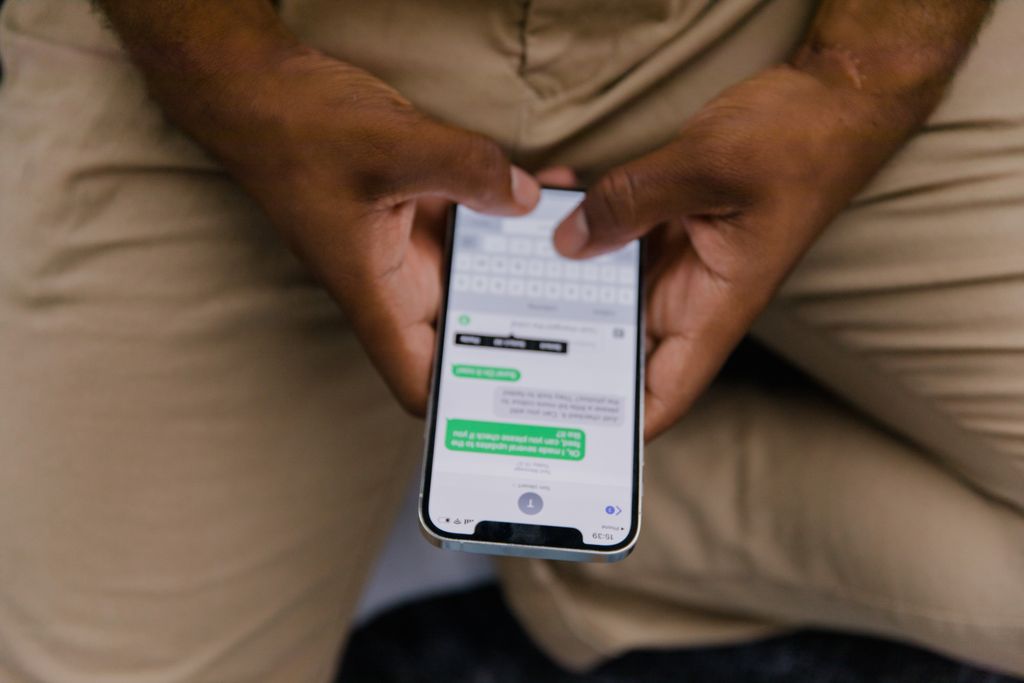
How to Remove Yourself From a Group Text on iPhone
Leaving an iMessage group takes less than a minute once you know the two rules behind the button. Apple only shows the leave option when every person uses an Apple device with iMessage turned on, and when at least three other people stay after you go. Check both rules first.
Step 1: Open the group in the Messages app
Open the Messages app and tap the group you want to leave. Check the bubble color first: blue means iMessage, and green means SMS, MMS, or RCS. Count the people too, since you need at least three other people. If the bubbles are green or the group has only three people, skip to the mute section.
Step 2: Tap the group icons at the top of the screen
Tap the group icons at the top to open the group details screen. On newer iOS versions, you will see small round profile pictures at the top, and tapping them opens the details page. On iOS 14 and earlier, the same screen sits behind a small Info button marked with a lowercase i.
Step 3: Scroll down and tap Leave This Conversation
Scroll down the details screen until you find Leave This Conversation near the bottom, and tap it once. The option usually appears in red text, which signals that it removes you from the chat for good. If you do not see it, the group fails one of the two rules, so stop here and use the mute fallback instead.
Step 4: Confirm by tapping Leave Conversation
A confirmation box will appear, asking you to confirm that you really want to go. Tap Leave Conversation, and the group will drop off your active chats right away. The other members will see a small system note that you left, so there is no silent exit in iMessage. You can only return if a current member adds you back.
Why the Leave Button Is Missing or Greyed Out
The leave button goes missing for only two reasons, and both come from how Apple sorts group chats. The first is size: a group needs four people in total, counting you, before Apple treats it as a real group. The second is the chat type: Apple only offers the button for iMessage groups where every member uses an Apple device. Once you know which reason applies, you can pick the fix that works.
A green bubble group is the most common reason the button never appears, and it tells you at a glance that the chat is not iMessage. Green bubbles show up when at least one person uses an Android phone, or when someone has iMessage turned off, so the messages travel through your carrier as SMS, MMS, or RCS. Apple has no leave control for carrier chats, because the carrier network keeps no live member list.
How to Silence a Group Text Without Leaving
Muting is the fix most people actually need, because it solves the real problem, the constant buzzing, even when leaving is not possible. Hide Alerts lives on the same group details screen as the leave button, and it takes one tap to turn on. Your phone will still receive the messages, but it will not light up, vibrate, or play a sound for them.
Delete and Block This Conversation is the stronger option, and it arrived with iOS 17 for group MMS chats that cannot be left. Open the group, tap the icons at the top, scroll down, and choose Delete and Block This Conversation, then confirm. This stops new messages from that thread and deletes the conversation from your phone. If no new message arrives for 30 days, the thread is removed for good.
How to Leave a Group Text on Android and WhatsApp
Android users face the same split as iPhone users. The answer depends on which messaging system carries the group. RCS groups in Google Messages can be left in a few taps. Old SMS and MMS groups cannot be left at all.
To leave an RCS group in Google Messages, open the group chat and tap the three dot menu in the top right corner. Choose Group details, scroll down, and tap Leave group, then confirm. You will know the chat is RCS when you see typing indicators and read receipts for everyone. If the Leave group option is missing, your chat is running as SMS or MMS, so mute it or ask the organizer to start a new thread without you.
WhatsApp makes leaving the easiest of all the apps, and it works the same way on iPhone and Android. Open the group, tap the group name at the top, scroll down, and tap Exit group, then confirm. Only the group admin gets a clear notice that you left, and the other members see only a small system note. To stop people from adding you back, go to WhatsApp Settings, then Privacy, then Groups, and choose My contacts or My contacts except.
iMessage vs RCS vs SMS vs WhatsApp: How to Remove Yourself From a Group Text on Each One
The table below puts the four options side by side. iMessage is the only one with the four person rule, while RCS and WhatsApp let smaller groups be left, and SMS and MMS offer no exit at all. Google said in May 2025 that more than 1 billion RCS messages were sent per day in the United States (Google, 2025). WhatsApp is larger still, with 2.78 billion monthly active users in 2023 (Gitnux, 2026).
| System | Can you leave | Minimum size | How to leave | If you cannot leave |
|---|---|---|---|---|
| iMessage (blue bubbles) | Yes, when all members use Apple devices | 4 people in total | Group icons, Leave This Conversation | Hide Alerts, or Delete and Block |
| RCS in Google Messages | Yes, when all members use RCS | None | Three dots, Group details, Leave group | Mute it, or ask for a new thread |
| SMS and MMS (green bubbles) | No, on any phone | Not possible | No leave option exists | Mute the thread, or ask to be removed |
| Yes, on iPhone and Android | None | Group name, Exit group | Mute it, or limit re-adds in Privacy settings |
The Polite Exit: What to Say When You Ask to Be Removed
Most guides skip this part, yet asking to be removed is the one fix that works for every kind of group, including the ones Apple and Google will not let you leave. Only the group creator or an admin can remove you from some chats, and a short kind message gets the job done. Send it as a direct message to the person who started the group, not inside the group itself. Keep it warm, short, and free of blame, and give a neutral reason and ask clearly.
Copy one of these messages and change the words in brackets to fit your group. The first one fits a family chat: “Hi [name], I love keeping up with everyone, but my phone buzzes all day. Could you remove me from the group when you get a chance? I will still catch up with you directly.” The second one fits a work or school chat: “Hi [name], I am stepping back to cut down on notifications, so could you please remove me? I will check in directly if anything comes up.”

How to Remove Yourself From a Group Text Mistakes to Avoid
The first mistake is tapping Leave This Conversation in a group that cannot be left and then assuming the job is done. The button only appears in eligible iMessage groups, so its absence is a message in itself. The second mistake is deleting the conversation and expecting the messages to stop, because deleting only clears your copy of the chat. Always mute or block after a delete if you cannot leave.
The third mistake is turning off iMessage to escape a group, which breaks far more than the one chat you want to leave. Turning it off pushes all your Apple chats onto SMS, which costs you read receipts and typing indicators. The fourth mistake is blocking every member of a group one by one, which is slow and can damage friendships. Block only a truly unwanted sender, never a whole group.
The fifth mistake is leaving a work or family group without a word, because the system note that says you left will be read as a statement even when you meant nothing by it. A ten second message to the group creator before you leave keeps the exit friendly. Rejoining needs a member to add you back, and a polite exit makes that far more likely. For more iPhone fixes, see our pillar guide change the alarm sound on iPhone, our guide IMEI number on iPhone, our guide where downloads go on iPhone, and our guide send a voice message on iPhone.
How to Remove Yourself From a Group Text FAQ
Can I remove myself from a group text on iPhone?
Yes, when the group is an iMessage group with blue bubbles and at least three other people stay in it. Open the group, tap the icons at the top, and tap Leave This Conversation.
Why is Leave This Conversation greyed out?
It is greyed out because the group fails one of Apple rules: it is a three person chat or it has green bubbles. Neither one can be left.
How do I remove myself from a group text with 3 people?
You cannot leave a three person iMessage group through settings, because Apple needs at least four people in total. Mute it with Hide Alerts, ask the creator to remove you, or ask the other two to start a new group.
Can I leave a group text with an Android user in it?
No, not through the iPhone leave button, because one Android phone turns the whole chat into a green bubble group. Mute it with Hide Alerts, use Delete and Block, or ask the creator to remove you.
How do I mute a group text on iPhone?
Open the group, tap the icons at the top, and turn on Hide Alerts. The messages will still arrive, but your phone will not buzz or play a sound for them.
What does Delete and Block do to a group text?
Delete and Block stops new messages from that group thread and deletes the thread from your phone. If no new message arrives for 30 days, the thread is removed for good.
Do other people see it when I leave a group text?
Yes, the other members see a small system note that says you left. There is no silent exit in iMessage, so message the group creator first.
Can I rejoin a group text after I leave it?
Yes, but only if a current member adds you back, because there is no rejoin button of your own. A member can add you when the group has at least three people.
How do I leave a group text on Android?
In an RCS group in Google Messages, open the group, tap the three dot menu, choose Group details, and tap Leave group. In an SMS or MMS group you cannot leave, so mute the thread or ask for a new group.
How do I leave a WhatsApp group?
Open the group, tap the group name at the top, scroll down, and tap Exit group. To stop people from adding you back, go to WhatsApp Settings, then Privacy, then Groups, and limit who can add you.
How do I stop being added to group texts?
On iPhone there is no setting that blocks group adds, so ask people not to add you and mute new groups fast. On WhatsApp, go to Settings, Privacy, Groups, and choose My contacts or My contacts except.
Does deleting a group text remove me from it?
No, deleting only removes your copy, and the next message from the group will rebuild the thread. To stop the messages, leave the group, mute it, or use Delete and Block.
Final Word
Removing yourself from a group text is easy when the group meets Apple rules, and it is still fixable when it does not. Check the bubbles, count the people, and tap Leave This Conversation when it appears. When it does not appear, mute the chat with Hide Alerts or use Delete and Block, and ask the group creator to remove you.
Read more about iMessage on Wikipedia: https://en.wikipedia.org/wiki/IMessage